Windows
- Laptops, desktops and servers
- BitLocker status and recovery keys
- App and system updates through Winget
- Remote terminal and scripts
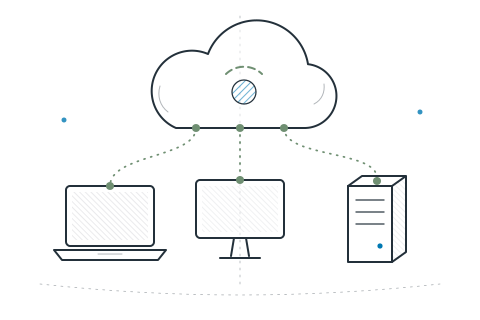
Enroll a device, see what’s on it, keep it compliant and current, help the person using it, and keep the record of who holds it. One agent and one console cover it all.
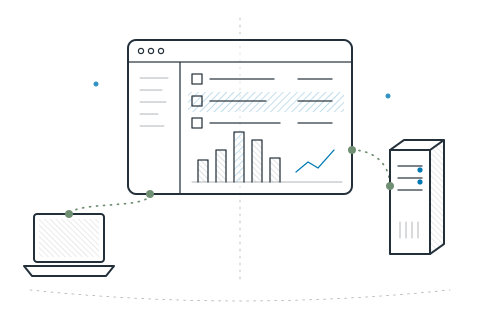
The same agent and the same console, with the care each system needs.
Share a one-time token. The agent installs, gets its own certificate and checks in. Tokens expire after an hour.
Single-use tokens · per-device certificatesHardware, installed software, owner and health for every device. Groups update themselves by system, owner or name.
Live inventory · dynamic groupsRequired software, compliance checks, scheduled scripts, website blocking and kiosk mode. Devices follow along on their own.
Declarative policiesPatch the system and apps through each platform’s own package manager. Start with a pilot ring, then widen the rollout.
Rollout rings · checksum-verified packagesOpen a terminal on any managed device from your browser. The device connects out to you, so no inbound ports need opening.
Remote shell · remote desktop (Linux X11)Which machines have this app? Which are missing a patch? Get answers from the devices, plus reports on coverage and compliance.
osquery · compliance reportsSee which AI and SaaS tools are installed and approve or flag each one. Scan chosen folders for exposed secrets; file contents never leave the device.
App governance · sensitive-data discoveryThe parts of endpoint management that auditors and security teams ask about.
Keep an employee directory, assign each computer and asset to a person and get a handover receipt they confirm themselves. Every change is kept in the custody history.
Employee directory · handover receiptsRequest equipment back, record its physical return and see what is still outstanding before an account is closed.
Return requests · offboarding checksA restricted view shows each person only the devices assigned to them, so receipts and returns need no extra admin accounts.
My equipment · least-privilege roleInstalled software is checked against the advisory feeds you load. Start remediation on affected devices from the same screen.
Vulnerability catalog · remediationOne compliance report shows inventory and policy coverage, out-of-date agents and how software actions went over 30 days. Export devices, assets and compliance as CSV.
Compliance report · CSV exportSet your organization’s name, logo, colour and support link for the console, sign-in page and emails. Create personal API keys for scripted access and revoke them at any time.
Co-branding · API keysRoles, approvals and access reviews are covered on the security page.
Knowing the edges helps you choose well.
Short answers to common setup questions.
An administrator creates a single-use enrollment token, valid for one hour. The NeoUEM agent installs with that token, creates its own key, receives a device certificate from NeoUEM and starts reporting in.
No. Each device connects out to the NeoUEM cloud service and keeps that connection open, so commands and remote sessions reach it without opening inbound ports on the device.
Winget on Windows, Homebrew on macOS, and APT, DNF and Pacman on Linux. Updates can go to a pilot ring first. Rolling back depends on what each package manager supports.
No. NeoUEM manages Windows, macOS and Linux computers and servers. It is not a mobile device management product.
Start free for up to 10 devices. For a larger fleet, sales sets capacity and terms with you.