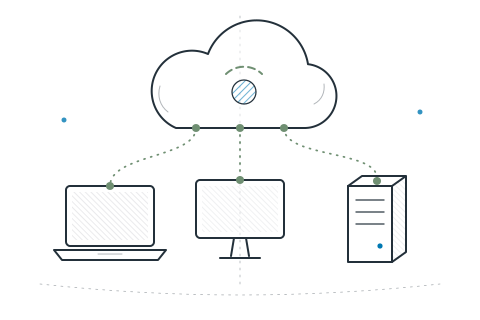
- You run a mix of Windows, Mac and Linux and want one console for all of them.
- You want a cloud service with nothing to install or maintain.
- You’d rather not depend on Apple or Microsoft MDM services to manage computers.
- You want remote support built in, not bought separately.
Compare
Choose with clear eyes.
Every team needs something different. Here’s an honest look at where NeoUEM fits, where it doesn’t, and how it differs from other well-known tools.

At a glance.
| What matters | NeoUEM | Microsoft Intune | Jamf Pro | Fleet |
|---|---|---|---|---|
| Who hosts itWhere the system runs | Cybzilla®, as a cloud service | Microsoft, as a cloud service | Jamf Cloud, or on-premises | You, or Fleet’s cloud |
| ComputersDesktop and server coverage | Windows, macOS, Linux | Windows, macOS; Linux in part | Mac | Windows, macOS, Linux, ChromeOS |
| Phones & tabletsMobile device management | Not supported | Yes | Apple devices | Yes |
| How it reaches devicesThe connection behind each action | Its own always-connected agent | Microsoft MDM and agent | Apple MDM and agent | osquery-based agent and MDM |
| LicenseHow you pay | Free up to 10 devices; sales beyond | Microsoft subscription | Commercial subscription | Open-core: free and paid |
Reviewed November 2026 from each vendor’s public information. Products change, so confirm current details with each vendor. Microsoft Intune, Jamf Pro and Fleet are trademarks of their respective owners.
Fit
Right for you? Here’s how to tell.
- You need to manage phones and tablets.
- You rely on Apple automated device enrollment and other MDM-only workflows.
Before you choose
Five questions to ask any vendor.
Ask us too. Our answers are under each one.
- Where will our data live?Device inventory, recovery keys and audit history: whose servers, in which country?NeoUEM: Singapore, on Google Cloud and a managed PostgreSQL service. The trust center lists every provider.
- How fast does a command arrive?Right away, or at the device’s next scheduled check-in?NeoUEM: Each device keeps an open connection, so a command is sent as soon as you issue it. Offline devices receive it when they reconnect.
- Is remote support included?Or is it a separate product and license?NeoUEM: Yes. A remote terminal on all three systems and remote desktop on Linux X11 sessions are part of the product.
- Can devices verify commands?Does each device check a command really came from you before running it?NeoUEM: Yes. Every command is signed and the device refuses anything whose signature does not match.
- What happens if we leave?Can we export our data and switch cleanly?NeoUEM: Export devices, assets and compliance as CSV and your configuration as a file. We delete your workspace on written request.
Questions & answers

Comparison questions.
How NeoUEM relates to tools you may already know.
Is NeoUEM an alternative to Microsoft Intune?
For Windows, macOS and Linux computers, yes. Both are cloud services. Intune also manages phones and tablets and works through Microsoft’s device management; NeoUEM manages computers and servers through its own agent, with remote support built in.
Is NeoUEM an alternative to Jamf Pro?
If you manage Macs alongside Windows and Linux machines, NeoUEM covers all three from one console. Jamf Pro specializes in Apple devices, including iPhone, iPad and Apple’s automated device enrollment, which NeoUEM does not provide.
How is NeoUEM different from Fleet?
Both use osquery to answer questions about devices. NeoUEM is a commercial cloud service that combines remote terminal access, software deployment, patching and signed commands in one console. Fleet is open-core, built around osquery, and can be self-hosted or used through Fleet’s cloud.
See for yourself
The best comparison is your own fleet.
Start free for up to 10 devices and test NeoUEM against your real requirements. For a larger fleet, sales sets capacity and terms with you.